Review Comments (0) Screenshots (4) Questions & Answers (0) Votes (1) Awards (19) Wiki  
(1)
Crystal Office Systems
3.86
www.crystaloffice.com
Shareware
$19.95  Purchase
1 279 people
Download NotePro

9.22 MBDownloaded 490 times

This software was checked for viruses 19 days ago and was found to contain no viruses.
Click here to see antivirus report.
 
Video tutorial for NotePro 3.8
Frame

Review

NotePro is an easy-to-use and feature-rich word processing software. The program can help you edit all sorts of text documents. It offers you many possibilities and it does not require advanced knowledge in order to use it.

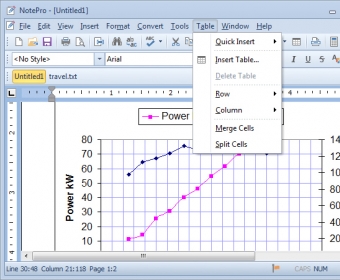
NotePro comes with a clean and friendly-looking user interface and has all the common and most used options placed right on the button bar. This piece of software can work with standard text files including Word, Windows Write, Rich Text Format and HTML files used by other word-processors.

The program offers you complete control over your text, whether it's about its content or its appearance. Besides the ability to use any font installed on your computer, you are able to control all the appearance settings of your text. You can set the font size, activate or deactivate the bold, italic, underline or strike-through features, even use colored text. The colored text feature is useful when you want to highlight specific portions of text or paragraphs.

NotePro 3.85 has a built-in Spell Checking feature which will help you along with the typing process. You are able to import entire text files created with other typing tools. The program offers some other interesting features as well like Calculator, Character Map or font previews.

NotePro 3.85 is an easy-to-handle typing tool which provides all the necessary features for text processing.
  • Efficient button bar.
  • Low resource usage.
  • Comprehensible interface.
  • None.

Reviewed by: Razvan Vidraru

Reviewer rating:

Reviewed: Last month

What's new in version 3.8

- Office 2010 visual themes.
- Improved tables management.
- Overall performance improved.
- Bug fixed: two application buttons on taskbar in Windows 9x.
- Minor changes and bugfixes.

What's new in version 3.6

Added support for Windows Vista dialogs and visual improvements.
Added borders and shading.
Added ability to zoom documents with mouse wheel.
Added Ctrl+W shortcut.
Report a wrong version Report a wrong program title Suggest a correction

Screenshots

User Interface User Interface Preferences Window Preferences Window Character Map Window Character Map Window Main Window Main Window

Latest comments


There are no comments, be the first one!
Add new comment

E-mail Address:

Password:

Register now »

Forgot password?

Sign in with:
.htm HTML Document
.html HTML Document
Download Software Informer Client
Copyright © 2012, Informer Technologies, Inc. About| Privacy and terms| Help| Feedback & Support| Partners program